





Description
Key Technical Specifications
| Parameter | Value |
|---|---|
| Manufacturer | GE Digital Energy / GE Grid Solutions |
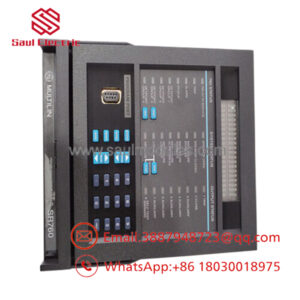
| Model | WESDAC D20ME |
| Product Type | Main Processor Module |
| Platform | D20 / D200 Remote Terminal Unit (RTU) |
| Processor | Motorola MC68030 |
| Bus Architecture | VMEbus (VME version) |
| Memory | Flash firmware storage with battery-backed RAM |
| Serial Communications | Up to 8 serial communication channels |
| Maintenance Port | Front-panel WESMAINT DB-9 interface |
| Firmware | Software-downloadable Flash memory |
| Functions | Data concentration, protocol processing, SCADA communications, RTU control |
| Compatible Expansion | D20 EME Ethernet Memory Expansion, D20 I/O modules |
| Typical Application | Electrical substations, transmission, distribution, utility SCADA systems |
Product Introduction & Supply Chain Strategy
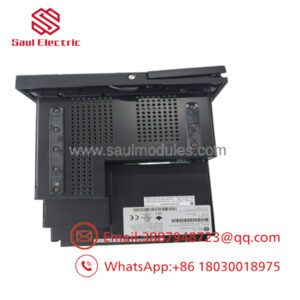
The GE WESDAC D20ME serves as the primary processor for the GE D20/D200 Remote Terminal Unit platform. It performs central processing, field data concentration, protocol management, and supervision of distributed WESDAC I/O modules used throughout utility transmission and distribution automation systems. The VME version also supports external global memory and Ethernet expansion through the D20 EME module.
As thousands of D20 systems remain in operation worldwide while OEM production has become increasingly limited, maintaining New Surplus inventory is the preferred lifecycle strategy. Buffer stock reduces Total Cost of Ownership (TCO), minimizes lead time variability, and avoids the operational risks associated with refurbished electronics. For critical substations, maintaining 1–2 spare processor boards is recommended.
Installation & Configuration Guide
Stage 1 – Pre-Installation (Preparation & Safety)
- Perform Lock-Out/Tag-Out (LOTO).
- Shut down the RTU and isolate control power.
- Wear a grounded ESD wrist strap.
- Back up the D20 configuration and firmware.
- Record:
- Communication parameters
- Network configuration
- Serial port assignments
- Jumper positions
- System database
Stage 2 – Removal
- Disconnect communication cables.
- Release board retaining hardware.
- Remove the processor evenly from the VME backplane.
- Inspect connectors for bent pins or contamination.
- Verify battery condition before discarding the original board.
Stage 3 – Installation
- Confirm the replacement is the correct WESDAC D20ME hardware revision.
- Match all jumper settings exactly.
- Install the processor into the correct chassis slot.
- Restore all communication and field wiring.
- Reload the saved RTU database if required.
Stage 4 – Power-On & Testing
- Restore system power.
- Verify RUN, FAIL, and HALT indicators.
- Confirm successful processor startup.
- Test SCADA communications.
- Verify operation of all connected WESDAC I/O modules before returning the RTU to service.
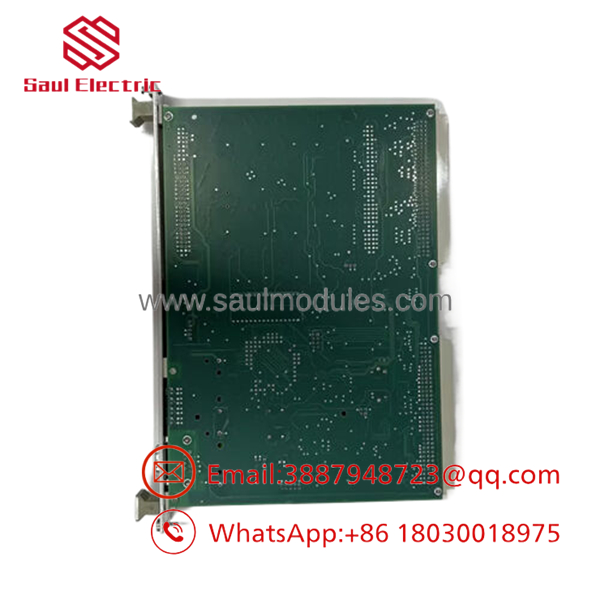
- WESDAC D20ME 18-MAR-13
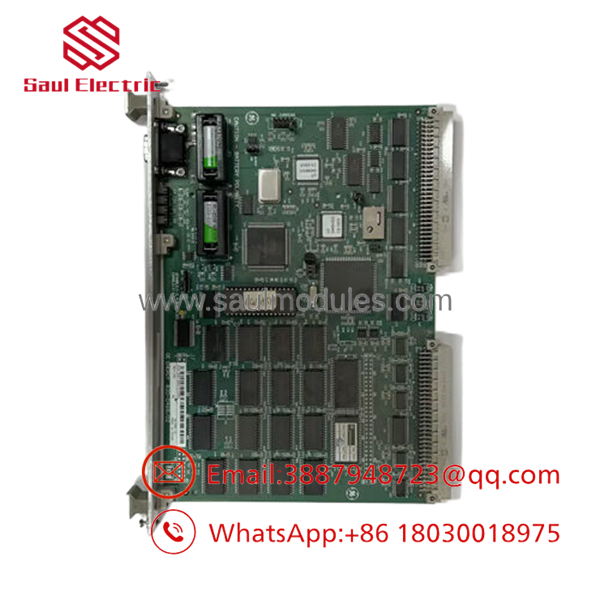
- WESDAC D20ME 18-MAR-13
Firmware / Software Versions & Upgrade Notes
- Record the firmware revision before replacing the processor.
- D20ME firmware is stored in Flash memory and can be updated through the WESMAINT interface.
- Keep firmware revisions consistent across redundant systems whenever possible.
- Verify compatibility with D20 EME Ethernet modules and installed I/O firmware.
- Avoid performing firmware upgrades during emergency hardware replacement unless compatibility requires it.
Frequently Asked Questions (FAQ)
Q1. Is this a New Original product?
Yes. This offering refers to a New Original / New Surplus processor module. It is not used, repaired, or refurbished. Each unit should undergo serial number verification, electrical inspection, and functional testing before shipment.
Q2. What is the function of the WESDAC ?
The is the primary CPU of the D20/D200 RTU. It concentrates field data, executes control logic, manages communications, and supervises distributed WESDAC I/O modules throughout the automation system.
Q3. What does “18-MAR-13” indicate?
It is generally a manufacturing date or hardware/firmware revision identifier, not the official GE ordering model. The complete assembly or catalog number should always be verified when sourcing a replacement.
Q4. Can the processor be hot-swapped?
No. The should only be installed or removed with the RTU powered down to prevent corruption of the control database or damage to the VME backplane.
Q5. Will my RTU configuration be retained?
If the system configuration has been backed up, it can typically be restored after replacement. Always verify communication parameters, protocol configuration, and field database integrity before commissioning.
Q6. What warranty is recommended for New Surplus inventory?
Qualified industrial automation suppliers typically provide a 12 month warranty, together with incoming inspection, functional verification, serial number validation, and ESD-safe packaging.
Q7. What inventory strategy is recommended?
For utilities operating GE D20/D200 SCADA platforms, maintain as critical buffer stock. Because the platform is in the mature phase of its lifecycle, proactive vendor consolidation, lifecycle monitoring, and last-time-buy planning will reduce procurement risk and minimize unplanned substation outages.

 Start Chat


