





Description
Product Introduction & Engineering Value
When scaling HMI displays across complex packaging or processing lines, low-resolution 6-inch screens become an immediate bottleneck for viewing detailed trend graphs and multi-zone layouts. The GE Fanuc IC754VSF12CTD eliminates visual clutter by pairing a spacious 12.1-inch SVGA TFT display with a high-performance XScale processor engine.
As a “Fully Loaded” QuickPanel View model, it provides expanded memory capacity—64 MB DRAM and 64 MB Flash—allowing engineers to run memory-intensive Proficy Machine Edition applications with deep historical logging and graphic animation. Built-in 10/100 Ethernet and configurable RS-232/RS-485 serial interfaces make it a reliable drop-in terminal for bridging field-level PLCs with supervisory SCADA networks.
Technical Specifications
- Display Size & Type: 12.1-inch Color Active-Matrix TFT LCD
- Resolution: 800 x 600 pixels (SVGA), 16-bit color (65,536 colors)
- Touch Panel: Analog Resistive Touchscreen (Finger, Stylus, or Gloved operation)
- Processor Architecture: Intel XScale ARM-based Microprocessor
- System Memory: 64 MB SDRAM / 64 MB Non-Volatile Flash Memory
- Operating System: Microsoft Windows CE.NET
- Input Voltage: 24 VDC Nominal (Operating Range: 18–30 VDC)
- Power Consumption: Approximately 48 Watts max
- Network & Serial Communication: 1x 10/100 Mbps RJ45 Ethernet, 1x RS-232/RS-485 Software-Configurable Port
- Peripheral Ports: USB Type-A Host Port, 1x Type II CompactFlash Expansion Slot
- Front Bezel Environmental Rating: NEMA 4/4X / IP66 (When properly door/panel mounted with gasket)
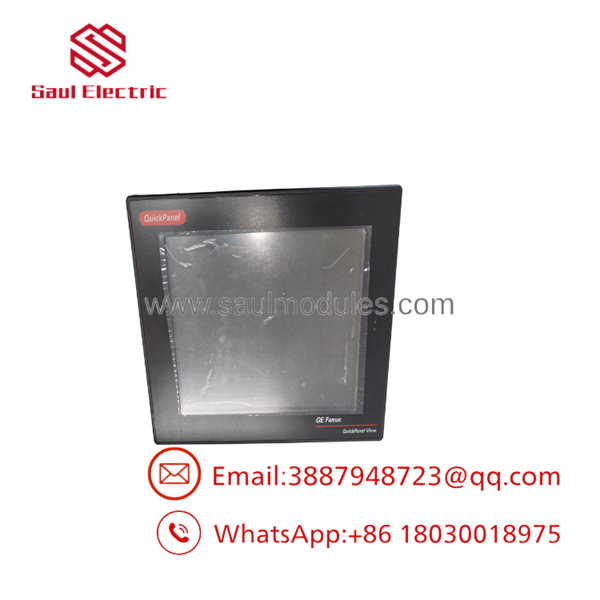
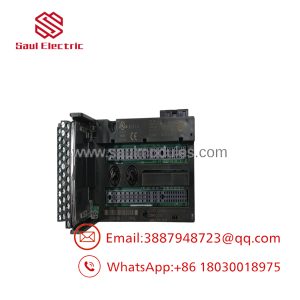
- IC754VSF12CTD
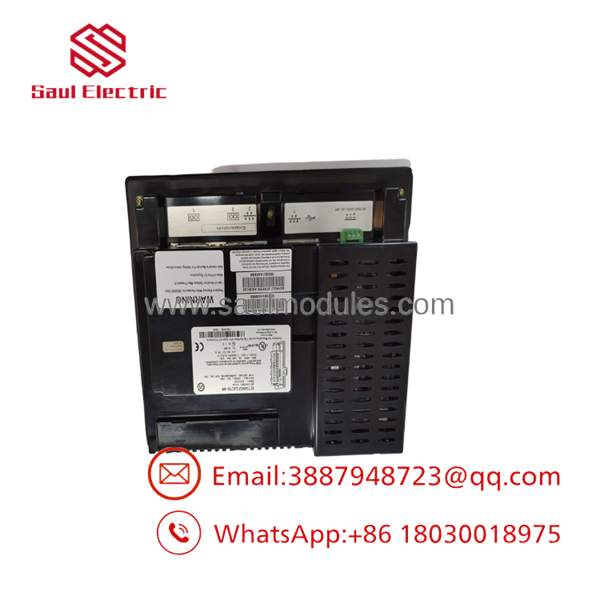
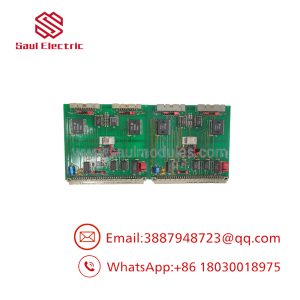
- IC754VSF12CTD
Field Application & The “Trench” Experience
An industrial bakery in Pennsylvania was plagued by sporadic line shutdowns after an operator accidentally cracked the glass matrix on a 12-inch main mixer HMI terminal. The failing unit hosted complex batching graphics and continuous dough-temperature trends. Because the local control enclosure sat near high-vibration flour sifters, standard replacement screens often suffered display flicker. Our field team pre-configured an IC754VSF12CTD with the plant’s backup Proficy View runtime file, dropped it into the existing panel cutout, secured the heavy-duty mounting clips, and verified Modbus TCP communication to the main PLC rack—restoring full batching operations within an hour.
Niche Application Scenarios:
- Continuous Industrial Baking Lines: Monitoring multi-zone oven temperature profiles, mixer torque levels, and belt speed synchronization.
- Flue Gas Desulfurization (FGD) Plants: Visualizing real-time scrubber valve feedback and slurry pH trends over serial Modbus.
- Automotive Stamping Press Monitoring: Displaying high-resolution die diagnostic screens and hydraulic pressure safety interlocks.
Transparency SOP: QA & Testing
- Step 1: Visual & Mechanical Bench Check — Frame alignment, display glass, corner gaskets, and CompactFlash slot pin integrity undergo full microscopic inspection.
- Step 2: Voltage Sweeps & Cold-Boot Testing — Input DC power is varied from 18 VDC to 30 VDC while monitoring bootloader logs to ensure stable power supply regulator startup.
- Step 3: Screen Matrix & Touch Calibration — The resistive grid is calibrated across a 25-point grid, followed by an automated 12-hour graphical burn-in to verify uniform backlight brightness and check for thermal touch-drift.
- Step 4: Comm Port Loopback Verification — Data packet traffic is looped continuously across the RJ45 Ethernet port and serial RS-232/485 pins to ensure zero dropped frames under peak load.
The Veteran’s Tech Trap Guide
- ⚠️ The “Fully Loaded” Memory Trap (VSF vs. VSI/VSL): The IC754VSF12CTD is a Fully Loaded (64MB/64MB) model. If you attempt to restore a project file created for a VSF model onto a lower-tier “Intermediate” (VSI) or “Standard” (VSL) unit, the runtime may fail to launch or crash intermittently due to insufficient Flash/RAM allocation.
- PRO TIP (CF Card File Systems): When transferring firmware or
.QuickPanelruntime projects using a CompactFlash card, always format the CF card to FAT16. Windows CE on the QuickPanel will fail to recognize cards formatted as FAT32, exFAT, or NTFS. - ⚠️ Mounting Clearance & Thermal Buildup: The 12.1-inch display chassis generates significant heat at 48W draw. Always allow a minimum of 3 inches (76 mm) of unblocked clearance around all ventilation slots inside the enclosure. Trapping thermal air pockets against the rear casing will dramatically shorten the CCFL/LED backlight lifespan.
Dynamic FAQ
Q: What is the difference between an IC754VSF12CTD and an IC754CSF12CTD?
A: The “VSF” designation indicates a QuickPanel View terminal (visualization and data logging), whereas the “CSF” designation indicates a QuickPanel Control terminal which includes integrated soft-PLC control engine functionality running alongside the HMI runtime.
Q: Can I backup or restore runtime projects using a USB thumb drive on this unit?
A: Yes. The features a USB Type-A host port that supports external USB flash drives formatted in FAT/FAT32 for project downloads and data log exports.
Q: What software version do I need to edit applications for this 12-inch QuickPanel?
A: Projects are developed, edited, and downloaded using GE Proficy Machine Edition (View Edition) software.
Q: What warranty comes with New Surplus or Bench-Tested units?
A: Every unit undergoes complete functional and communications bench testing and is backed by a full 12-month replacement warranty.

 Start Chat


