





Description
Product Introduction & Engineering Value
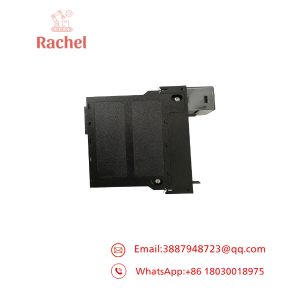
The CU212 is not simply an old PLC CPU. It is the main processor of the KEBA CC100 control architecture, handling the sequence program, machine parameters, peripheral interfaces, and system-level functions. The CPU contains the processor, system-program EPROM, RAM, keyboard control, and serial interfaces.
For a legacy machine, that makes the CU212 a high-value spare. A failure can stop the complete control system. Fortunately, its documented relationship with the CU211/F provides a useful migration reference: KEBA identifies CU212 as the software-compatible successor to that earlier CPU generation.
Technical Specifications
| Parameter | Specification |
|---|---|
| Manufacturer | KEBA |
| Model | CU212 |
| Controller System | CC100 |
| Module Type | Central module / CPU |
| Processor | Intel i80486DX4 |
| External Clock | 25 MHz |
| Internal Clock | 75 MHz |
| RAM | 8 MB |
| EPROM | 4 MB |
| System EPROM | Up to 4 × M27C801 devices |
| Standard Debug Interface | SI232 / RS-232 |
| Standard Serial Interfaces | RS-232 / V.24 |
| Network Interface | Ethernet/TPI interface for EMS and teleservice |
| Expansion Bus | IEB1 / IEB2 |
| Machine Bus | KEMRO bus / I/O bus |
| Display Interface | GC201/A or GC201/A/LCD architecture |
| Battery-Backed Data | Machine and mold parameters |
| Replacement Relationship | Successor to CU211/F |
The CU212’s standard configuration includes an SI232 debug interface, four EPROM locations, an Ethernet interface for EMS/teleservice, and interfaces for system expansion. Optional interface configurations include Euromap 15, CAN, additional serial interfaces, and RS-422/485 through appropriate submodules.
The CPU’s RAM stores machine parameters, constants, linearization tables, mold parameters, and related data; the technical manual specifically notes that these values are retained during power-off by a battery.
Field Application & the “Trench” Experience
A legacy injection-molding machine suddenly stops executing its sequence program. The power supply is healthy, the I/O cards show normal status, and the operator display is still active. The fault eventually traces back to the central processing unit.
The maintenance team has a CU212 spare. Before installation, they record the original CPU configuration, EPROM arrangement, battery condition, rack position, and attached interface modules. They also preserve the machine’s existing program and parameter data.
The replacement CPU is then installed in the main rack, rather than an expansion rack. That distinction is important because the technical documentation states that CU212 is a master module and cannot be operated in an extension rack.
Relevant applications include:
- KEBA CC100 injection-molding machine controls
- Legacy molding-machine sequence control
- Machine parameter and mold-data management
- Industrial equipment using KEMRO bus I/O
- OEM machinery requiring replacement of a CU211/F-era CPU
KEBA’s CU212 is also widely represented in industrial automation spare-parts inventories, including dedicated listings identifying it as a KEBA NC-range component.
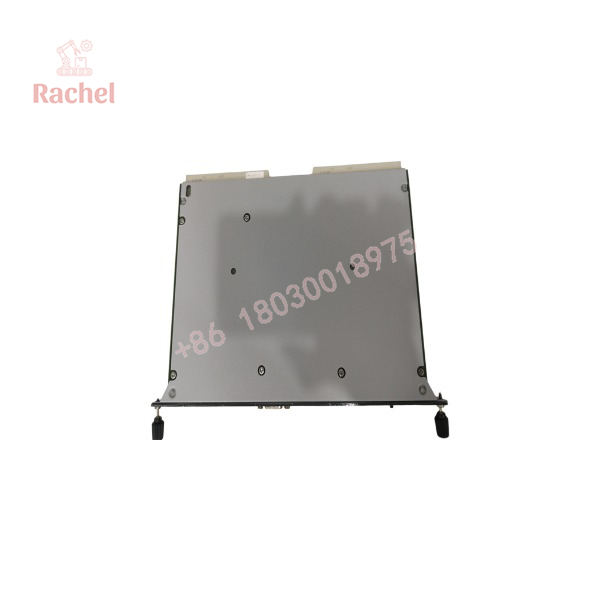
CU212
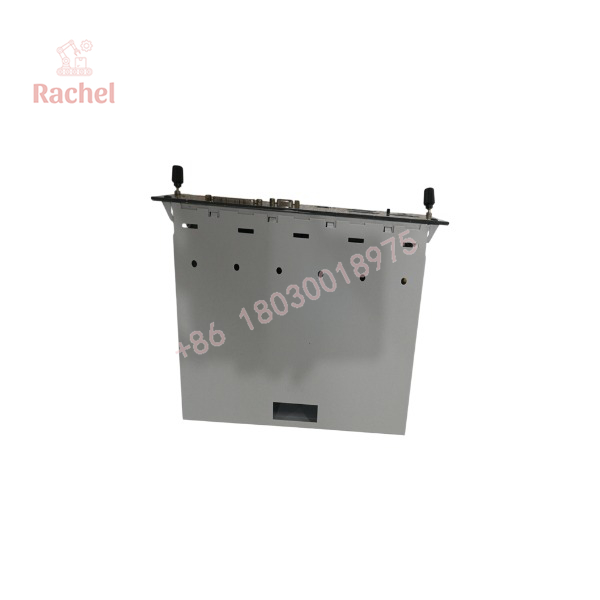
CU212
Transparency SOP: QA & Testing
For New Surplus or Refurbished CU212 inventory, a meaningful test should be performed at the system level.
1. Physical inspection
Check the CPU housing, edge connectors, interface modules, EPROM sockets, battery area, and visible PCB surfaces.
2. Identification
Record the complete designation, hardware revision, serial number, and installed interface configuration.
3. CPU startup
Install the unit in a compatible CC100 main rack and apply the specified control voltage through appropriate test equipment.
4. Diagnostic verification
Check CPU status LEDs, watchdog behavior, alarm indications, and system startup.
5. Memory verification
Verify that the installed EPROM configuration is recognized and that RAM/data retention functions operate correctly.
6. Communication test
Test the applicable RS-232/V.24 and Ethernet/TPI interfaces where the required equipment is available.
7. I/O test
Confirm communication with the CC100/KEMRO bus and installed slave modules.
8. Application test
Where a customer’s or known-good CC100 application is available, verify sequence execution and machine-parameter handling.
A supplier should clearly state whether the CU212 was bench tested or tested in a complete CC100 system. The latter provides substantially stronger evidence of functional condition.
The Veteran’s Tech Trap Guide
⚠️ Do not install the CU212 in an extension rack.
KEBA’s technical documentation specifically identifies CU212 as a master module and states that master modules such as CU212 cannot operate in extension racks.
PRO TIP: Photograph the complete CC100 rack before removing the original CPU. The CPU’s location and neighboring modules provide valuable information when reconstructing a legacy system.
⚠️ The battery is not a minor detail.
Machine and mold parameters are retained in RAM by battery backup. A replacement CPU with an aged battery can create a second failure after installation if retention is not checked.
⚠️ EPROM configuration matters.
The CU212 uses multiple M27C801 EPROM devices for system software. The documented CU212 configuration uses four EPROM positions, unlike some earlier CU211 variants. Do not transfer or rearrange EPROMs without following the correct hardware documentation.
⚠️ Do not confuse the CU212 with CU211.
CU212 was introduced as the software-compatible successor to the CU211/F, but that does not mean every hardware configuration, interface submodule, or peripheral connection can be transferred without checking.
Dynamic FAQ
Q1. What is the KEBA CU212?
The CU212 is the central processing module of the KEBA CC100 control system. It provides the main processor, system memory, program memory, machine-parameter storage, and key communication interfaces.
Q2. What processor does the CU212 use?
The documented CPU is an Intel i80486DX4, operating with a 25 MHz external clock and 75 MHz internal clock. It has 8 MB RAM and 4 MB EPROM.
Q3. Is CU212 compatible with CU211/F?
KEBA’s technical documentation identifies the CU212 as the software-compatible successor to CU211/F, introduced starting in Q2 2000. Hardware and peripheral compatibility should nevertheless be checked against the complete CC100 configuration.
Q4. What communications interfaces are available?
The standard CPU includes RS-232/V.24 interfaces and an Ethernet/TPI interface for functions such as EMS and teleservice. Additional serial, CAN, Euromap, and RS-422/485 functionality can be provided through appropriate interface submodules.
Q5. Can a CU212 be tested outside the machine?
Basic electrical and CPU startup testing can be performed on suitable test equipment, but meaningful functional testing is best done in a compatible CC100 rack with the appropriate KEMRO bus, I/O modules, and application configuration.
Q6. How should New Surplus CU212 inventory be authenticated?
Request photographs of the actual unit showing the KEBA CU212 marking, hardware revision, serial/date information, EPROM arrangement, connectors, and packaging. New Surplus should be clearly distinguished from used or refurbished inventory.
Q7. What warranty should I request for refurbished CU212 stock?
Request a written warranty covering CPU startup, diagnostics, memory operation, communication interfaces, and system functionality actually tested. A 12-month warranty is currently advertised by one independent KEBA spare-parts supplier, although that is the supplier’s warranty rather than a KEBA factory warranty.
Q8. What is the most important spare-parts consideration?
Preserve the machine application, EPROM configuration, battery-backed parameters, and exact interface configuration before replacing the CPU. The CU212 is the central processor of the CC100 system; replacing the hardware without preserving the associated control data can turn a straightforward hardware failure into a much longer machine-recovery event.

 Start Chat


