





Description
Product Introduction
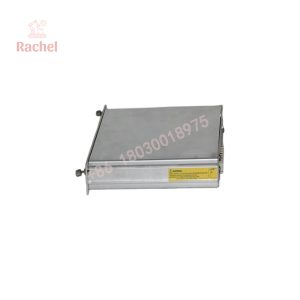
The National Instruments cFP-1804 is a four-slot network interface for the Compact FieldPoint distributed I/O platform. It connects compatible Compact FieldPoint I/O modules to supervisory computers and automation systems through Ethernet or an RS-232 serial connection. Typical applications include remote data acquisition, machine monitoring, and process control.
Its practical value is distributed I/O connectivity without requiring every field signal to terminate at a central controller. The interface supports Ethernet-based communication and protocols including Modbus TCP, Modbus RTU, Modbus ASCII, Optomux, and NI’s event-driven protocol. Compatibility depends on the installed FieldPoint software, host application, and network configuration.
Key Technical Specifications
The cFP-1804 combines a four-slot Compact FieldPoint I/O chassis with Ethernet and serial communications. The following specifications are reported in product documentation and supplier technical references.
| Parameter | Specification |
|---|---|
| Manufacturer | National Instruments (NI) |
| Model | cFP-1804 |
| Part number | 779490-01 |
| Chassis assembly reference | 193560C-01 |
| Product family | Compact FieldPoint |
| Product type | Ethernet/serial network interface |
| I/O capacity | 4 Compact FieldPoint I/O slots |
| Ethernet interface | RJ-45, 10BASE-T / 100BASE-TX |
| Ethernet data rates | 10 Mbps and 100 Mbps, auto-negotiated |
| Serial interface | One RS-232 DCE port, DB-9 |
| Supply voltage | 11–30 VDC |
| Power consumption | Approximately 6.1 W plus power required by installed I/O modules |
| Ethernet cabling distance | Up to 100 m per segment under standard Ethernet cabling limits |
| Supported protocols | Modbus TCP, Modbus RTU, Modbus ASCII, Optomux, NI event-driven protocol |
| Host software | FieldPoint software; LabVIEW and other supported NI development environments |
| Lifecycle status | Discontinued; verify availability with suppliers |
Sources:
Engineering note: The cFP-1804 is a network interface, not a standalone programmable controller. The application logic generally runs on a host computer or compatible controller. Do not confuse its role with Compact FieldPoint controller models such as the cFP-20xx series.
Application Scenarios & the “Trench” Experience
A remote monitoring system can fail without any obvious damage to the field sensors. A production line may still be running, but the supervisory computer stops receiving updated measurements. The maintenance team must determine whether the fault is in the Ethernet link, serial connection, FieldPoint interface, I/O module, or host software.
When a cFP-1804 fails, the replacement must match the installed Compact FieldPoint architecture and the communication method used by the application. Replacing the interface without preserving network and software settings can extend the outage.
Typical application scenarios
- Manufacturing — Remote machine monitoring — Connects compatible distributed I/O modules to a host application that collects equipment status and process measurements.
- Water and wastewater — Pump station telemetry — Provides a network interface for compatible field I/O used to monitor pump status, tank levels, and other process signals.
- Energy systems — Auxiliary equipment monitoring — Supports distributed data acquisition where an application gathers electrical or equipment measurements from remote I/O.
- Test and measurement — Automated data collection — Connects Compact FieldPoint I/O to LabVIEW-based applications for monitoring, logging, and test automation.
- Industrial utilities — Legacy SCADA integration — Supports existing systems using compatible Ethernet or RS-232 communication and supported FieldPoint protocols.
These are representative Compact FieldPoint applications, not a guarantee of compatibility with every SCADA package or host configuration.
Field replacement scenario
Consider a plant that uses a cFP-1804 to collect remote digital and analog signals. The supervisory application suddenly stops receiving updates. The maintenance team checks the Ethernet cable and switch port, verifies the DC supply, and tests the host application. The fault is eventually traced to the network interface.
Before installing a replacement, the engineer records the IP configuration, serial-port settings, installed I/O module arrangement, and FieldPoint software version. After the hardware is replaced, the team verifies network communication, confirms that every configured I/O channel appears correctly, and checks representative field signals against independent measurements.
The important distinction is this: restoring the network connection does not prove that the entire data-acquisition system is working. Channel mapping, scaling, communication timing, and application logic still require verification.
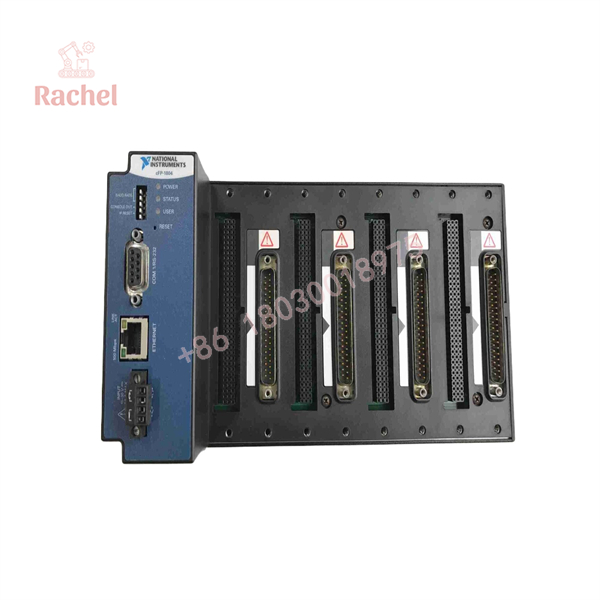
cFP-1804
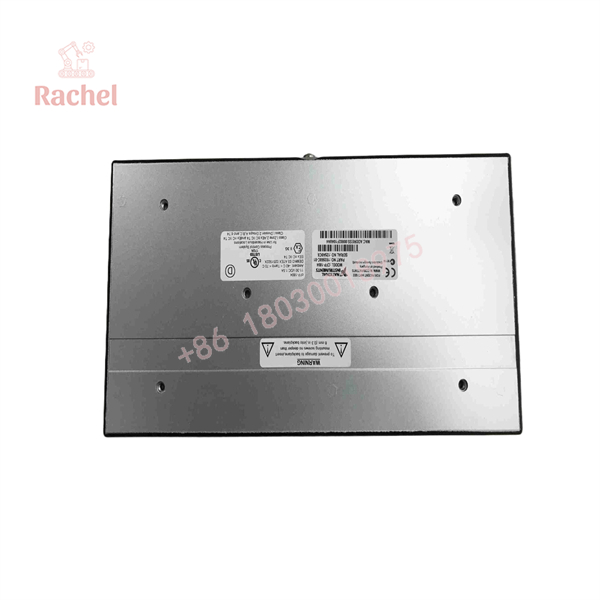
cFP-1804
Transparency SOP: Quality Assurance & Testing
For discontinued NI hardware, a meaningful inspection should cover the interface, communications, power input, and compatibility with the intended Compact FieldPoint installation. The following is a recommended acceptance procedure, not a claim that any particular supplier has completed these tests.
1. Inbound Inspection
- Photograph the model label, part number, serial number, and revision markings.
- Inspect the Ethernet jack, DB-9 serial connector, power terminals, chassis, and I/O slots.
- Check for bent contacts, corrosion, cracked housing, overheating, or signs of unauthorized repair.
- Record the actual condition: unused surplus, used, refurbished, or repaired.
2. Power-On and Communication Testing
- Apply a regulated DC supply within the documented 11–30 VDC range.
- Check startup indicators and verify that the unit initializes normally.
- Test Ethernet link negotiation at supported speeds.
- Test the RS-232 interface with suitable equipment if serial communication is required.
- Verify that the unit communicates with a compatible host or test application.
3. I/O Interface Checks
- Install compatible Compact FieldPoint I/O modules in the intended configuration.
- Confirm that the host can identify the installed modules.
- Test representative input and output channels using an approved test fixture.
- Verify channel mapping and communication stability under the intended configuration.
4. Software and Configuration Verification
- Record the FieldPoint software version and host operating-system environment.
- Verify network addressing, serial settings, protocol selection, and application compatibility.
- Confirm that required drivers and configuration utilities are available.
- Do not assume that a unit’s ability to power on guarantees compatibility with legacy software.
5. Final QC and Packaging
- Record the test results and the exact hardware identification.
- Protect the Ethernet and serial connectors against impact and contamination.
- Use appropriate antistatic packaging for the electronic assembly.
- Include the condition declaration, applicable warranty, and return terms.
Procurement recommendation: Ask for the actual unit’s label and a communication test report. If the supplier advertises the unit as tested, confirm whether the test included Ethernet, RS-232, and installed I/O modules—or only a power-on check.
The Veteran’s Tech Trap Guide
⚠️ Trap 1: Confusing the Network Interface With a Controller
The cFP-1804 provides network connectivity for Compact FieldPoint I/O. It is not equivalent to a cFP-20xx embedded controller. Before ordering, check where the application logic runs and confirm that the replacement matches the original system architecture.
❗ Trap 2: Overlooking Legacy Software Compatibility
A replacement may power up correctly yet fail to communicate with an older host environment. Record the FieldPoint software version, operating system, driver requirements, and application protocol before removing the original unit. Confirm software availability before committing to a replacement.
⚠️ Trap 3: Treating Ethernet and RS-232 as Interchangeable
The cFP-1804 supports both interfaces, but they use different physical connections and configuration parameters. Photograph the existing wiring and document the active communication path, IP settings, serial parameters, and protocol. A replacement will not automatically inherit the original configuration.
❗ Trap 4: Replacing the Interface Without Checking the I/O Modules
Confirm that all installed Compact FieldPoint modules are seated correctly and recognized by the host after replacement. A network connection alone does not verify sensor readings, output commands, channel scaling, or application behavior. Test representative channels before returning the system to service.
Frequently Asked Questions
Q1. Is the National Instruments cFP-1804 discontinued?
Yes. Industrial surplus listings identify the cFP-1804 as discontinued by the manufacturer. Used, refurbished, and unused surplus inventory may still be available, depending on supplier stock.
Q2. What is the difference between cFP-1804 and cFP-1808?
The cFP-1804 provides four Compact FieldPoint I/O slots, while the cFP-1808 provides eight. They are different hardware configurations. Do not substitute the eight-slot model without checking the installation, wiring, mounting, and software requirements.
Q3. Can the cFP-1804 communicate through Modbus TCP and Modbus RTU?
Yes. NI documentation identifies support for Modbus TCP over Ethernet and Modbus RTU over serial, along with Modbus ASCII, Optomux, and NI’s event-driven protocol. Actual operation depends on the FieldPoint software, host application, and communication configuration.
Q4. Can I replace the cFP-1804 while the system is running?
Do not assume that the network interface or its complete chassis can be replaced under power. Check the applicable NI hardware manual and the site’s electrical isolation procedure. Even if individual Compact FieldPoint I/O modules support hot swapping in a particular configuration, that does not automatically authorize live replacement of the network interface.
Q5. Does the cFP-1804 require firmware or driver configuration?
It requires a compatible FieldPoint software environment and appropriate communication configuration. Verify the host operating system, installed software version, drivers, IP address, serial settings, and application protocol. The exact software requirements depend on the existing installation.
Q6. Does the cFP-1804 come with a 12-month warranty?
Not necessarily. Warranty terms depend on the supplier and product condition. Some surplus vendors advertise their own warranty periods, which are separate from an original manufacturer warranty. Request written confirmation of coverage, exclusions, and return terms before ordering.
Q7. Why is surplus cFP-1804 hardware cheaper than new industrial equipment?
The cFP-1804 is discontinued, so replacement inventory generally comes from remaining stock, equipment decommissioning, or refurbishment. Pricing reflects condition, test coverage, traceability, and warranty terms. A lower price alone does not prove that a unit is counterfeit or defective; request identification photographs and documented testing.

 Start Chat


