





Description
Product Introduction & Engineering Value
Legacy equipment upgrades often stall at one difficult point: connecting modern PLC platforms with existing Modbus instruments, drives, analyzers, and controllers. The MVI56E-MCMR addresses this integration challenge by providing dedicated Modbus communication processing inside a ControlLogix rack.
For automation engineers maintaining mixed-vendor systems, this module eliminates the need for custom ladder logic handling every serial transaction. It provides a structured interface between ControlLogix tags and Modbus networks, making troubleshooting and lifecycle support easier.
Technical Specifications
| Parameter | Specification |
|---|---|
| Manufacturer | ProSoft Technology |
| Model | MVI56E-MCMR |
| Compatible Platform | Allen-Bradley ControlLogix |
| Module Type | Enhanced Modbus Communication Module |
| Protocol | Modbus RTU Master / Slave |
| Serial Ports | 2 independent ports |
| Electrical Interface | RS-232, RS-422, RS-485 |
| Baud Rate | Up to 115.2 kbps |
| Backplane Interface | ControlLogix 1756 backplane |
| Configuration Software | ProSoft Configuration Builder (PCB) |
| Operating Temperature | Industrial temperature range |
| Mounting Type | ControlLogix chassis slot module |
Field Application & The “Trench” Experience
A chemical processing plant upgraded several PLC cabinets from older Allen-Bradley PLC-5 equipment to ControlLogix. The control system migration went smoothly until engineers discovered dozens of existing Modbus RTU instruments still operating in the field.
Replacing every analyzer, flow transmitter, and power meter would have required major shutdown time.
The engineering team installed MVI56E-MCMR modules in the ControlLogix racks, mapped the Modbus registers into controller tags, and restored communication without changing the existing field devices.
Typical application scenarios include:
- Modbus RTU variable frequency drive integration into ControlLogix systems
- Power meter and energy monitoring communication networks
- Process analyzer data collection systems
- Remote RTU and instrumentation interfaces
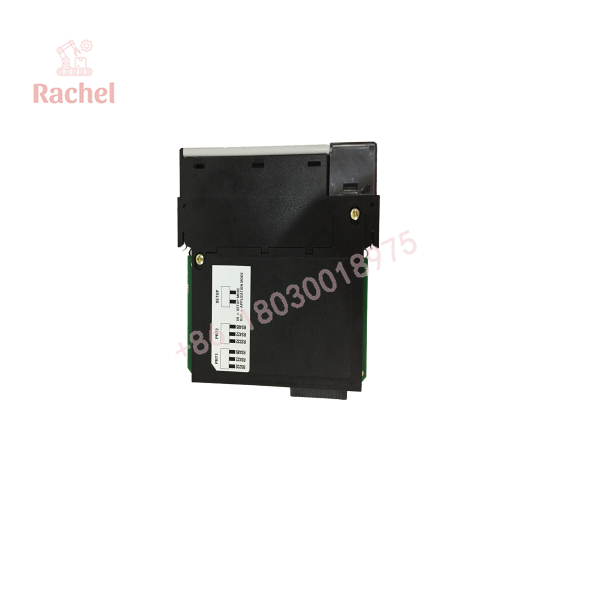
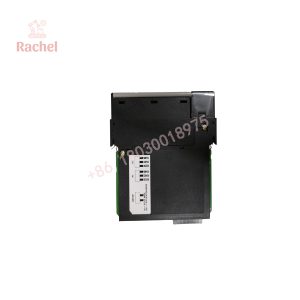
MVI56E-MCMR
Transparency SOP: QA & Testing
Each MVI56E-MCMR spare module should undergo verification before being placed into service.
Inspection checklist:
- Confirm module label matches MVI56E-MCMR.
- Inspect enclosure, terminal connections, and backplane contacts.
- Check for physical damage, oxidation, or contamination.
- Verify module powers up correctly in a compatible ControlLogix chassis.
- Test serial communication ports where test equipment is available.
- Confirm Modbus master/slave communication behavior.
For New Surplus inventory, authenticity checks include OEM labeling, storage condition review, and packaging inspection. Refurbished units should include repair history and functional test documentation.
The Veteran’s Tech Trap Guide
⚠️ Trap 1: Confusing MVI56E-MCMR with older MVI56-MCM
The MVI56E series includes enhanced firmware features and updated configuration tools. A direct swap may require configuration conversion.
PRO TIP: Archive the existing ProSoft Configuration Builder project before replacing the module.
⚠️ Trap 2: Incorrect RS-485 wiring
Many field failures are caused by communication wiring, not the module itself.
Check:
- A/B polarity
- Termination resistors
- Shield grounding
- Network biasing
⚠️ Trap 3: Modbus register mapping errors
A communication link can appear healthy while transferring incorrect data because register addressing differs between manufacturers.
Always verify:
- Offset numbering
- Function codes
- Data type conversion
- Byte order
Dynamic FAQ
Q1. What PLC platforms are compatible with the MVI56E-MCMR?
The MVI56E-MCMR is designed for Allen-Bradley ControlLogix systems using the 1756 chassis platform.
Q2. Can the MVI56E-MCMR communicate with both Modbus masters and slaves?
Yes. The module supports Modbus RTU master and slave operation, allowing integration with various serial field devices.
Q3. Does replacing an existing MVI56E-MCMR require PLC program changes?
Usually, the controller-side data structure and module configuration should be reviewed. If the replacement uses identical configuration files, program changes may be minimal.
Q4. What is included with a refurbished MVI56E-MCMR?
A qualified supplier should provide:
- Module inspection
- Functional testing records
- Warranty information
- Serial traceability where available
Q5. Is the MVI56E-MCMR a direct replacement for the MVI56-MCM?
It may replace some applications, but compatibility depends on firmware version, configuration files, and project requirements. Validate before installation.
Q6. Why keep an MVI56E-MCMR as a spare?
Many industrial sites still operate Modbus-based field equipment. Keeping a tested spare reduces downtime when communication modules fail unexpectedly.

 Start Chat


