





Description
Product Introduction and Engineering Value
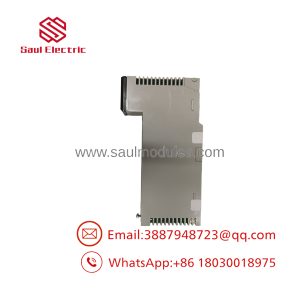
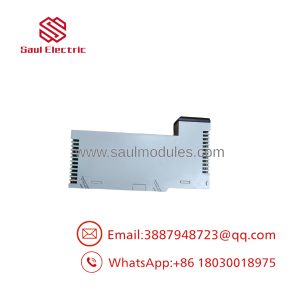
Legacy PLC installations often depend on remote I/O hardware that cannot be replaced with a modern Ethernet-based interface without changes to the control architecture. The documented Schneider Electric AS-J890-101 serves as a drop adapter for 800 Series I/O on an S908 Remote I/O network, linking the remote rack to a compatible Modicon controller.
For maintenance engineers, the key requirement is preserving the existing I/O architecture while restoring communication. Confirm the complete part number, cable configuration, drop address, and rack compatibility before ordering. The suffix -1004 requires additional verification.
Technical Specifications
| Specification | Verified information |
|---|---|
| Manufacturer | Schneider Electric / Modicon |
| Requested part number | AS-J890-101-1004 |
| Documented base model | AS-J890-101 |
| Product type | Remote I/O interface / drop adapter |
| Compatible I/O family | Modicon 800 Series |
| Network | S908 Remote I/O |
| RIO cable connections | 1 |
| ASCII communication ports | 0 |
| Controller compatibility | Supported Modicon 984 systems; certain Quantum configurations require architecture-specific verification |
| Rack space | 1.5 slots in the applicable 800 Series housing |
| Operating temperature | 0°C to 60°C for the documented J890/J892 family |
| Drop address configuration | DIP switches on the module |
Engineering caution: These specifications apply to the documented AS-J890-101 base model and its published family documentation. They are not independent confirmation that AS-J890-101-1004 is a distinct factory order code. Do not assume Ethernet, Modbus TCP, redundant dual-cable operation, or hot-swapping capability from the requested suffix alone.
Field Applications and Maintenance Scenarios
Example: Restoring communication to a remote I/O rack
A manufacturing plant using a legacy Modicon 984 controller experiences communication faults at a remote rack controlling conveyor interlocks and position sensors. The maintenance team isolates the fault to the remote I/O interface, checks the S908 cable and rack power supply, and confirms that the existing module no longer communicates correctly.
The replacement process begins by matching the installed module’s complete identification label and cable configuration. After confirming the replacement, the technician sets the required drop address, installs the module according to the manufacturer’s procedure, and checks the controller’s communication status before testing the affected I/O points.
This is an illustrative maintenance scenario, not a documented customer case.
Other suitable application scenarios for the verified base model include:
- Packaging-line remote I/O: Connecting distributed digital and analog I/O racks to an existing Modicon controller.
- Water-treatment pump stations: Maintaining remote instrumentation and actuator interfaces in a legacy S908 network.
- Material-handling systems: Restoring remote I/O communication for conveyor permissives, limit switches, and equipment status signals.
These applications depend on the actual installed I/O modules and controller configuration.
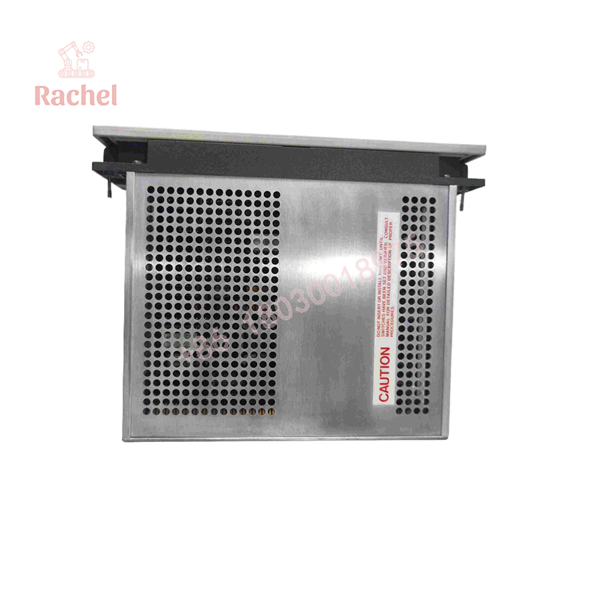
AS-J890-101-1004
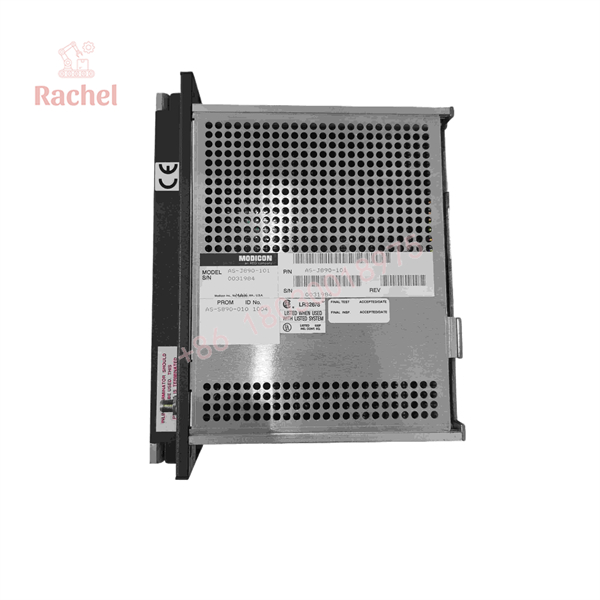
AS-J890-101-1004
Quality Assurance and Stock Verification
Because the documented AS–101 is a legacy product, procurement should distinguish between unused surplus, previously installed equipment, refurbished units, and repair-exchange inventory.
A suitable inspection procedure includes:
- Part-number verification: Photograph the complete identification label, including any suffix, revision, or configuration code.
- Physical inspection: Check the housing, edge contacts, connectors, and circuit board for corrosion, damaged contacts, or previous repair work.
- Functional testing: Where suitable test equipment and a compatible system are available, verify startup status, RIO communication, and the applicable diagnostic indicators.
- Configuration review: Confirm the drop address and cable arrangement against the existing network design.
- Documentation: Request the inspection report, stated stock condition, warranty terms, and return policy.
These are recommended verification steps, not claims that any particular unit has passed testing.
Common Replacement Pitfalls
Pitfall 1: Ordering by an unverified suffix
The documented base model is AS-. The full AS–1004 designation has not been independently confirmed in the available technical references. Obtain a label photograph and written confirmation of the exact item before committing to a purchase.
Pitfall 2: Confusing single-cable and dual-cable variants
The AS- has one RIO cable connection. The AS–102 is the documented dual-cable variant. Select the version that matches the installed network topology; a different connector count can prevent the intended installation.
Pitfall 3: Overlooking the drop address
The interface uses DIP switches to establish the remote drop address. Check the original switch settings and the controller’s network configuration before commissioning. Duplicate or incorrect addresses can prevent the controller from communicating with the intended drop.
Frequently Asked Questions
Q1. What does the AS- do?
It provides the S908 Remote I/O interface for a remote drop containing Modicon 800 Series I/O modules. It allows a compatible controller to exchange I/O data with the remote rack.
Q2. Is AS–1004 an official Schneider Electric part number?
I could not independently verify the complete suffix in the available technical documentation. The base model AS- is documented. Confirm the complete identifier with Schneider Electric or the supplier before ordering.
Q3. Can I replace AS- with AS–102?
Not as a direct, assumption-free substitution. The AS–102 provides two RIO cable connections, while the AS- provides one. Confirm the required topology, controller configuration, and installation requirements before changing variants.
Q4. Is the AS- discontinued?
Aftermarket distributors report the base model as discontinued by the manufacturer. Remaining inventory, refurbished units, and repair services may be available through industrial automation suppliers.
Q5. How can I verify new-surplus authenticity?
Request photographs of the actual unit, original labels and packaging where available, supplier traceability records, and written confirmation that the unit is unused. New-surplus status does not, by itself, prove authenticity or establish a manufacturer’s warranty.
Q6. What warranty is available?
Warranty coverage depends on the supplier and the stock condition. Obtain the warranty period and return terms in writing. For refurbished or repaired units, ask whether the warranty covers functional defects and what testing was completed before shipment.

 Start Chat


