





Description
Product Introduction
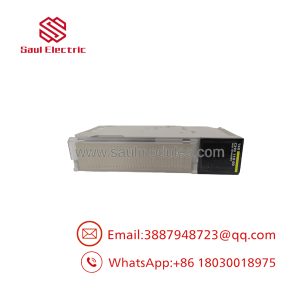
The Schneider Electric Modicon BMXNOE0100 is an Ethernet TCP/IP communication module designed for the Modicon M340 PLC platform (utilizing the X80 backplane architecture). It acts as a high-speed communication gateway, linking M340 processors to enterprise SCADA systems, local HMIs, remote I/O devices, and peer controllers over standard Ethernet networks.
Equipped with embedded FactoryCast Basic web server technology, the BMXNOE0100 allows plant personnel to access diagnostic data, check network status, and inspect register values using a standard web browser. It simplifies control system integration by supporting Modbus TCP client/server messaging, FDR (Fast Device Replacement), and transparent IP address management.
Key Technical Specifications
| Parameter | Specification Details |
| Module Type | Ethernet TCP/IP Network Module |
| Part Number | BMXNOE0100 |
| Manufacturer | Schneider Electric / Modicon |
| Platform Compatibility | Modicon M340 & Modicon X80 Backplanes |
| Physical Interface | 1 x RJ45 Port (Shielded Twisted Pair, 10BASE-T / 100BASE-TX) |
| Transmission Speed | 10/100 Mbps Auto-Negotiation (Full / Half Duplex) |
| Protocols Supported | Modbus TCP/IP, HTTP (Web Server), FTP, SNMP, DHCP, BOOTP, FDR Client |
| Web Technology | FactoryCast Basic Embedded Web Server |
| Memory Backplane Power | ~300 mA at 3.3V DC / ~90 mA at 24V DC backplane bus |
| Max Network Connections | Up to 64 Modbus TCP Client/Server Sockets |
| Status Display | RUN, ERR, MS (Module Status), NS (Network Status), Ethernet Link/Speed LEDs |
Application Scenarios & Field Experience
The BMXNOE0100 is widely used in factory automation, infrastructure, and process control applications where reliable Modbus TCP communications are required.
- SCADA & HMI Connectivity: Transmitting process telemetry, alarms, and trend data directly to Magelis/Harmony HMIs, Aveva System Platform, or third-party OPC servers.
- Peer-to-Peer Interlocking: Exchanging high-speed control bit interlocks between multiple M340 controllers across Ethernet networks using Modbus TCP messaging.
- Remote Device Management: Interfacing with variable frequency drives (VFDs), power meters, and intelligent electronic devices (IEDs) across industrial networks.
- OEM Skid Automation: Providing local machine web diagnostics for maintenance engineers without requiring PLC programming software on site.
Field Case Study: A municipal water treatment plant added a BMXNOE0100 module to an existing M340 rack to establish communication with a newly installed power monitoring network. Utilizing Modbus TCP messaging blocks in EcoStruxure Control Expert, the plant brought real-time kW/kWh telemetry into SCADA with zero disruption to the main CPU logic execution cycles.
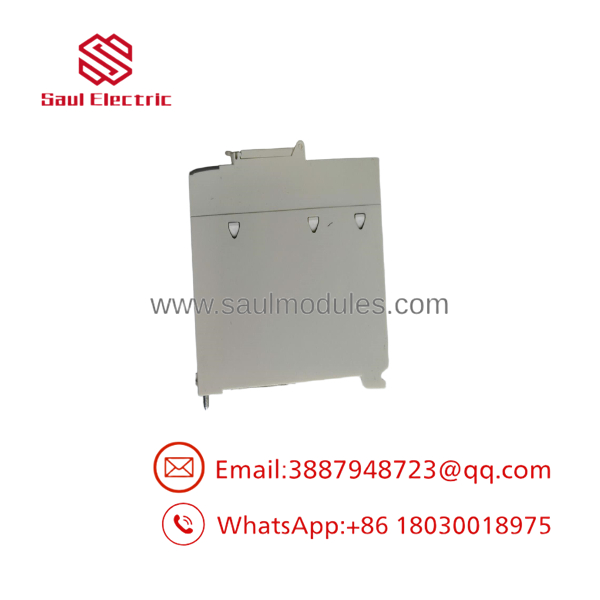
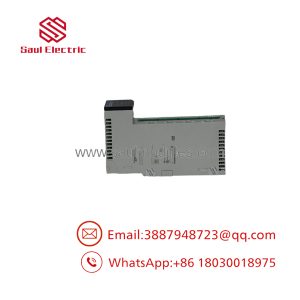
BMXNOE0100
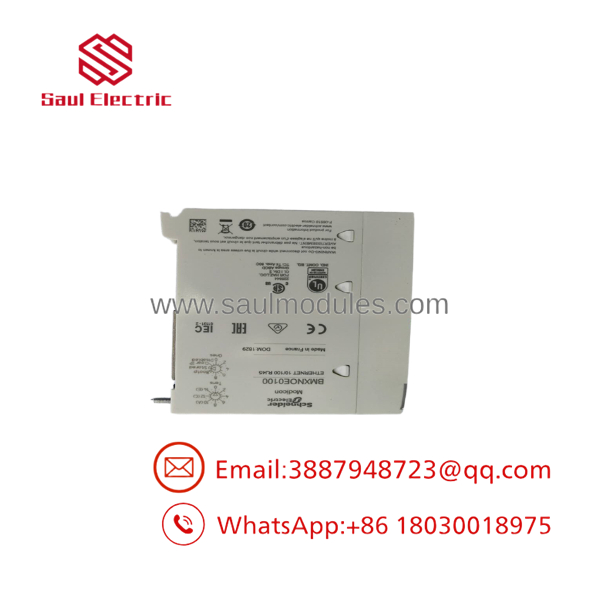
BMXNOE0100
Quality Assurance & Testing Procedure
Every surplus or reconditioned BMXNOE0100 module undergoes a complete testing protocol prior to dispatch:
- Visual & Mechanical Inspection: Inspecting backplane multi-pin edge connectors, side retention clips, and the front RJ45 jack for dust, oxidation, or mechanical stress.
- Backplane Handshake & Boot Test: Mounting in an M340 X80 chassis to verify backplane power consumption and card startup sequence.
- Ethernet Link & Data Rate Test: Establishing 10/100 Mbps link connections, assigning IP parameters via BOOTP/DHCP, and executing continuous Modbus TCP read/write cycles under traffic load.
- Web Server Diagnostic Check: Logging into the FactoryCast embedded web server to verify web interface access, memory health, and diagnostic log rendering.
- ESD-Safe Packaging: Cleaned, static-shielded, and packaged in protective foam enclosures.
Technical Field Tips & Traps
- ⚠️ IP Configuration Methods: The supports IP assignment via software hardware configuration (EcoStruxure Control Expert / Unity Pro), BOOTP, or DHCP using the module’s MAC address. Ensure the project file match settings line up to prevent IP assignment conflicts upon reboot.
- ❗ While both are Ethernet modules, the BMXNOE0110 features FactoryCast Configurable (advanced customizable web pages and data logging), whereas the features FactoryCast Basic (standard fixed diagnostic web pages).
- ⚠️ Backplane Slot Restrictions: Place the in an Ethernet-capable slot in the X80 backplane. Check rack documentation to ensure slot bandwidth and backplane power constraints are met when running multiple option modules.
- ❗ Firmware Consistency: Always match the firmware version installed on the physical module with the hardware catalog revision configured in EcoStruxure Control Expert / Unity Pro to ensure smooth project downloads.
Frequently Asked Questions
Q: Can I use the with a Modicon M580 processor?
A: Modicon M580 CPUs use Ethernet-embedded backplanes and typically pair with BME-prefix Ethernet modules (such as BMENOE0100). The is specifically designed for /X80 racks.
Q: Does the support Ethernet/IP protocol?
A: The primary native protocol is Modbus TCP/IP. If full EtherNet/IP (Explicit/Implicit messaging) is required, consider modules like the BMXNOC0401 or BMENOC0301.
Q: Can I hot-swap this card (RIUP)?
A: Yes, Modicon /X80 racks support Removal and Insertion Under Power (RIUP). However, disconnect active Modbus TCP communications in the CPU logic prior to removing the card to prevent communication timeout faults.
Q: How do I reset the module to factory IP settings?
A: You can re-assign default parameters using Schneider’s Device Configuration Tool / BOOTP server or clear IP configurations within EcoStruxure Control Expert.

 Start Chat


