





Description
Product Introduction & Engineering Value
Power-supply failures in a PLC rack can look like CPU or communication faults because the downstream modules lose power at the same time. The C2RPS-PSM is intended for Schneider Electric Modicon Quantum power architectures where maintaining rack power availability is important.
For a maintenance replacement, the critical issue is compatibility. Verify the complete power-supply assembly, rack type, redundancy arrangement, input voltage, and companion power module before installing a substitute. A visually similar Quantum power component should not automatically be considered interchangeable.
Technical Specifications
Manufacturer: Schneider Electric
Product Family: Modicon Quantum
Model: C2RPS-PSM
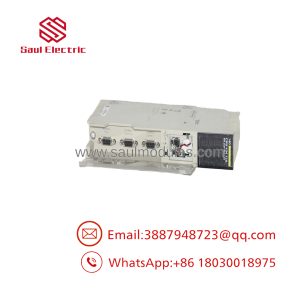
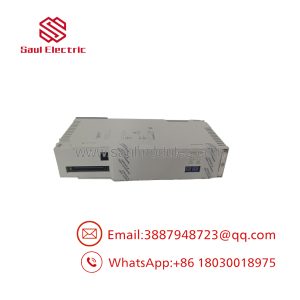
Device Type: Redundant power supply module
Primary Function: Quantum rack power distribution / redundant power architecture
System Role: Power subsystem
Installation: Quantum control-system rack/cabinet
Redundancy: Designed for use in redundant power configurations
Status: Legacy / maintenance-spare component
Application: Industrial PLC and process-control systems
Input Voltage: Verify from the exact nameplate/configuration
Output Rating: Verify against the applicable Schneider Electric hardware documentation
Replacement Strategy: Match the complete part number and system configuration rather than selecting solely by physical form.
Because publicly accessible references for this exact designation are limited, publishing an unverified voltage, wattage, or current figure would create unnecessary procurement risk.
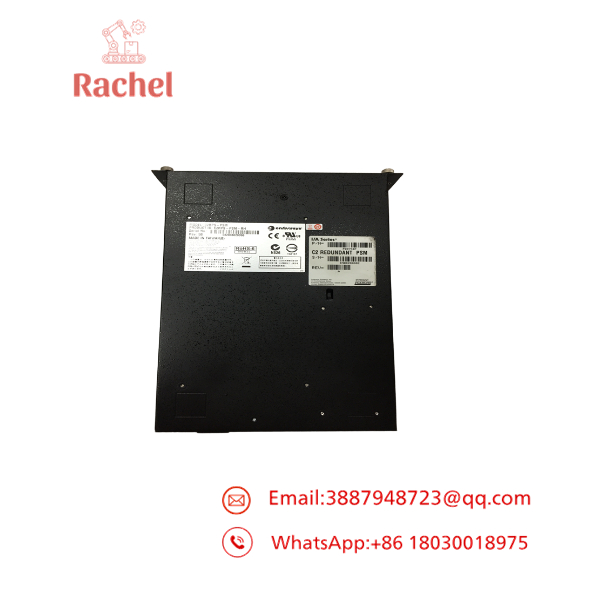
C2RPS-PSM
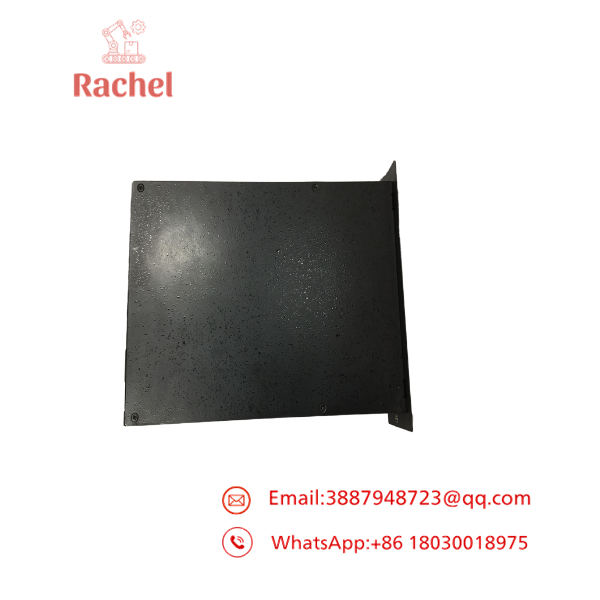
C2RPS-PSM
Field Application & the “Trench” Experience
A plant operating an older Quantum control system began experiencing intermittent rack resets. The CPU diagnostics initially suggested a possible backplane or controller problem. Maintenance eventually discovered that the fault appeared during periods of increased cabinet temperature.
The team isolated the problem to the rack power subsystem. Rather than replacing the CPU or communication modules, they verified the redundant power arrangement and compared the failed power module against the installed spare. The replacement restored stable rack operation.
The lesson is straightforward: when a Quantum rack shows multiple unrelated module faults at once, check the power architecture before replacing expensive logic or communication hardware.
Practical applications include:
- Redundant PLC rack power in continuous-process control panels
- Legacy Quantum installations where the original power architecture remains in service
- Process-control cabinets requiring higher availability than a single power module provides
- Remote or distributed control panels where an unexpected rack shutdown creates significant production risk
Transparency SOP: QA & Testing
For New Surplus or Refurbished C2RPS-PSM inventory, the inspection sequence should be:
- Part-number verification — Confirm C2RPS-PSM and all visible Schneider identification markings.
- Physical inspection — Examine terminals, connectors, housing, mounting surfaces, and ventilation areas.
- Component inspection — Check for swollen capacitors, discoloration, corrosion, cracked solder joints, and heat damage.
- Input/output verification — Test the applicable power circuits using controlled test equipment and the correct Schneider specifications.
- Redundancy test — Where the proper Quantum rack/test fixture is available, verify operation in the intended redundant configuration.
- Final QA record — Record model, revision, serial number if available, condition, and test results.
A power module should not be classified as fully tested merely because its indicator LEDs illuminate.
The Veteran’s Tech Trap Guide
⚠️ Do not mix up the power-system components.
Quantum power architectures can contain multiple power-related components. Match the complete designation rather than assuming that every module containing “PS” or “PSM” in the label performs the same function.
⚠️ Verify the cabinet’s redundancy topology first.
Replacing one power component without understanding how the redundant pair is wired can defeat the purpose of the redundancy system or create unexpected fault indications.
PRO TIP: Before removing the failed module, document the complete rack layout and photograph every power connection. Also record which power source feeds each side of the redundant arrangement.
⚠️ Do not assume the exact electrical rating from a similar Quantum model.
Schneider used multiple power-supply configurations across the Quantum family. For procurement, the nameplate on the installed C2RPS-PSM should take priority over third-party catalog specifications.
Dynamic FAQ
Q1. What is the Schneider Electric C2RPS-PSM?
The is a legacy Modicon Quantum redundant power-supply component used within Quantum control-system power architectures.
Q2. Is C2RPS-PSM a CPU or I/O module?
No. It belongs to the power-supply subsystem, not the Quantum CPU or field-I/O subsystem.
Q3. Can I replace C2RPS-PSM with another Quantum power supply?
Not without verification. Confirm the exact rack, power architecture, input voltage, output requirements, redundancy configuration, and complete part number before substitution.
Q4. What symptoms can indicate a failing power module?
Possible symptoms include rack resets, simultaneous loss of multiple modules, intermittent controller faults, unexpected communication loss, or power-related diagnostic indications. These symptoms are not conclusive by themselves; incoming power and rack/backplane conditions should also be checked.
Q5. How should New Surplus C2RPS-PSM inventory be authenticated?
Verify the Schneider Electric identification label, exact part number, revision, physical condition, and unused condition. If the unit is offered as refurbished, request documentation showing what electrical and system-level testing was performed.
Q6. What warranty is appropriate?
Warranty coverage depends on the supplier and stock condition. For refurbished units, request written functional warranty terms and clarify whether DOA replacement and subsequent electrical failure are covered.

 Start Chat


