





Description
Product Introduction
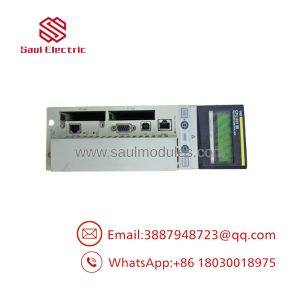
The Schneider Electric / Telemecanique XBTF024510 is a 10.4-inch VGA color graphic operator terminal belonging to the classic Magelis XBT-F family. Built for demanding industrial environments, it serves as the central control interface for automated machinery and process control systems.
Featuring a high-contrast TFT LCD touchscreen display, the XBTF024510 renders dynamic process schematics, trending charts, recipe selections, and system diagnostics. It communicates natively with Schneider Electric PLCs (via Modbus, Uni-Telway, or Modbus Plus) as well as third-party controllers via serial or extension fieldbus expansion cards.
Key Technical Specifications
| Parameter | Specification Details |
| Component Type | Graphic Operator Terminal (HMI Panel) |
| Part Number | XBTF024510 |
| Manufacturer | Schneider Electric / Telemecanique |
| Product Family | Magelis XBT-F Series |
| Display Type & Size | 10.4-Inch TFT Color LCD Display |
| Resolution | VGA 640 \times 480 Pixels |
| Operator Interface | High-Precision Analog Matrix Touchscreen |
| Supply Voltage | 24V DC (18 to 30V DC operating window) |
| Serial Ports | 2 x Serial Ports (RS-232C / RS-485 supporting Modbus / Uni-Telway) |
| Expansion Slots | 1 x PCMCIA Type II Slot (for memory expansion or network cards) |
| Real-Time Clock | Integrated battery-backed RTC |
| Configuration Software | XBTL1000 Programming Software |
| Protection Rating | IP65 / NEMA 4X (front panel face when enclosure-mounted) |
Application Scenarios & Field Experience
The XBTF024510 is widely installed across legacy automotive production, food & beverage processing lines, water treatment plants, and material handling systems.
- Main Operator Stations: Providing machine operators with full visualization of batch status, tank levels, motor speeds, and line alarms.
- Recipe & Batch Management: Allowing line supervisors to select, upload, and modify batch recipes sent directly to downstream Modicon PLCs.
- Fault Diagnostics & Alarm Logs: Displaying timestamped fault alerts and operator acknowledgment screens to accelerate troubleshooting on active lines.
Field Case Study: A textile finishing plant experienced intermittent touchscreen unresponsiveness and screen flickering on an old batch control skid. Replacing the aging unit with a bench-tested XBTF024510 panel—and restoring the project application file via XBTL1000 over serial—restored full touch response and process monitoring with under two hours of total line downtime.
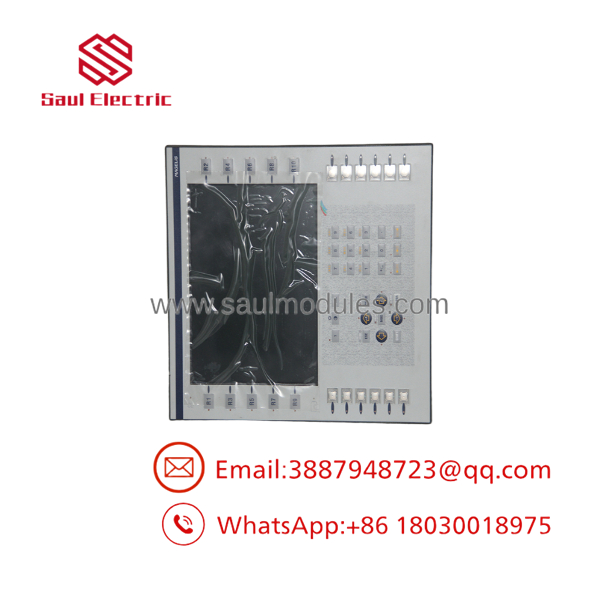
XBTF024510
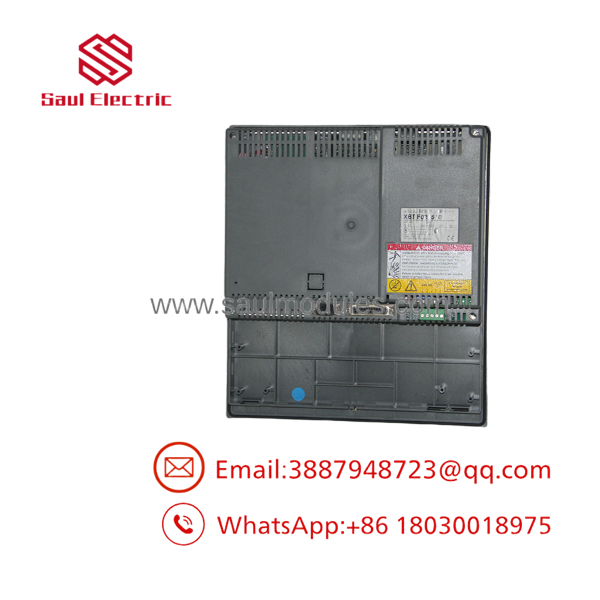
XBTF024510
Quality Assurance & Testing Procedure
Every surplus or refurbished XBTF024510 HMI panel undergoes a thorough multi-point functional test prior to shipment:
- Visual & Display Quality Audit: Inspecting front bezel gasket, casing latches, and checking the 10.4″ LCD panel for scratches, dead pixels, or backlight degradation.
- 24V DC Power & Boot Verification: Powering the terminal with 24V DC to verify internal power supply stability, boot sequence, and memory diagnostics.
- Touch Matrix Calibration: Testing all grid zones across the matrix touchscreen to verify touch accuracy and response speed.
- Serial Communication Test: Conducting live Modbus / Uni-Telway serial data transfers to a test PLC CPU to verify RS-232 and RS-485 port functionality.
- PCMCIA Slot Verification: Testing the PCMCIA slot with memory cards to verify read/write access.
- ESD-Safe Packaging: Cleaned, static-shielded, and securely boxed with thick foam surround padding.
Technical Field Tips & Traps
- ⚠️ 24V DC Power Polarity: Double-check +24V DC and 0V terminal landings before applying power. Reversed polarity or overvoltage transients can damage the internal power inverter board.
- ❗ XBTL1000 Software Required: Project backup, editing, and transfer for the require XBTL1000 configuration software. Ensure you have the original project file (
.DOPformat) or a system backup before replacing a unit. - ⚠️ Gasket Replacement for NEMA 4X: When mounting the HMI back into an enclosure door, ensure the rear perimeter sealing gasket is clean and properly seated to maintain IP65 / NEMA 4X liquid ingress protection.
- ❗ Modern HMI Migration Path: Because the Magelis XBT-F series is obsolete, Schneider Electric recommends migrating long-term installations to the Harmony GTO / STO or Harmony GTU series (programmed via EcoStruxure Operator Terminal Expert or Vijeo Designer).
Frequently Asked Questions
Q: What programming cable is used to transfer projects to the ?
A: Downloading applications from a PC running XBTL1000 to the typically requires a Schneider serial programming cable (such as the XBT-ZG915 or XBT-ZG925 converter cable).
Q: Can I back up the application file directly from an existing ?
A: Yes, if the original project was uploaded with “upload enabled” in XBTL1000, you can upload the runtime project file from the unit via serial cable or PCMCIA memory card.
Q: What is the primary difference between and XBTF024110?
A: Both are 10.4-inch Magelis graphic terminals, but variations in the trailing digits specify touchscreen vs. keypad configurations, video inputs, or specific memory expansion options.
Q: Does the support Ethernet communication?
A: Standard serial ports support RS-232/RS-485 (Modbus/Uni-Telway). Ethernet connectivity can be added using a PCMCIA network card option (such as the XBT-F034110 / XBT-R410 card) or by linking through a serial-to-Ethernet gateway.

 Start Chat


