





Description
Product Introduction & Engineering Value
The XBTF034610 is a 10.4-inch industrial touchscreen HMI intended for graphical operator interaction with automation equipment. Its 640 × 480 VGA display and resistive touch interface were designed for machine status, alarms, commands, recipes, and process visualization. The XBT F documentation specifies 24 VDC operation, with an 18–30 VDC operating range and approximately 35 W consumption.
This is legacy HMI hardware, so replacement planning deserves more attention than simply matching screen size. The application, communication protocol, PCMCIA card, serial configuration, Ethernet requirements, mounting dimensions, and project files all need to be considered before removing the existing terminal.
Technical Specifications
| Parameter | Specification |
|---|---|
| Catalog Number | XBTF034610 |
| Product Family | Magelis XBT F |
| Product Type | Graphic touchscreen operator terminal |
| Display Size | 10.4 inches |
| Display Resolution | 640 × 480 pixels |
| Display Type | Color TFT/LCD |
| Touch Technology | Resistive matrix |
| Touch Zones | 10 × 13 |
| Supply Voltage | 24 VDC |
| Operating Voltage Range | 18–30 VDC |
| Maximum Ripple | 5% |
| Power Consumption | 35 W |
| Memory / Application Storage | PCMCIA-based application/protocol storage |
| Alarm Log | Up to 1,000 events |
| Recipes | Up to 125 records / 5,000 values |
| Form Pages | Up to 255 |
| Serial Communication | RS-232 / RS-485 / RS-422 |
| Communication Expansion | Type III PCMCIA communication-card slot |
| Approximate Weight | 2.2–2.4 kg |
The XBT F documentation describes the 10.4-inch display as 640 × 480 pixels with 256 colors, with a resistive 10 × 13 touch matrix. It also documents RS-232/RS-485/RS-422 serial communication and PCMCIA-based application/protocol storage.
Third-party product records additionally identify the XBTF034610 as a color touchscreen terminal with a Type III PCMCIA slot and 24 VDC supply.
Field Application & the “Trench” Experience
A packaging line has been running for years with an XBTF034610 mounted in the main operator panel. The HMI suddenly develops intermittent touch response. The PLC remains healthy, and the machine continues to execute its control logic, but operators can no longer reliably acknowledge alarms or change production parameters.
The maintenance team has a spare HMI.
The mistake would be to install it immediately and assume the job is finished.
First, they identify how the application is stored. The existing terminal uses a legacy application architecture, and the communication configuration must match the PLC. They preserve the original project and document the communication cable and settings before disconnecting the failed terminal.
After installing the replacement, the team verifies the display, touch zones, PLC communication, alarm handling, recipe access, and operator commands individually.
The HMI is only one part of the operator station.
Specific application scenarios:
- Packaging machines: recipe selection, alarm acknowledgment, machine-status visualization.
- Material-handling systems: conveyor status, operator commands, fault diagnostics.
- Process skids: pump/valve status, process values, alarm displays, and manual controls.
- Legacy production cells: operator interface for Premium, Quantum, or other compatible PLC architectures.
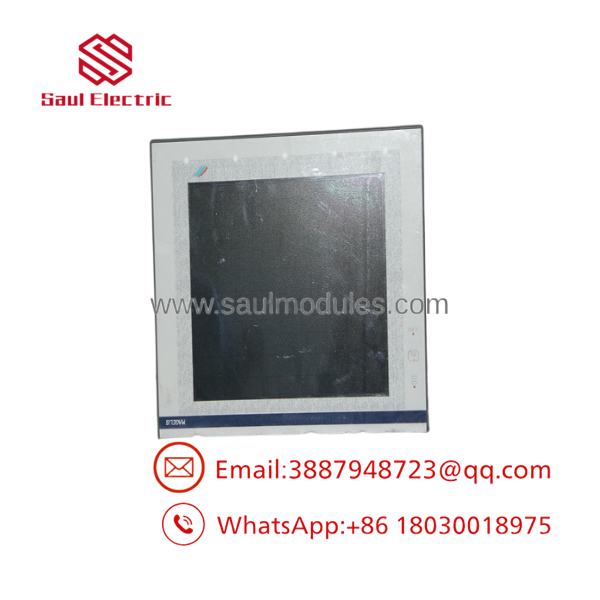
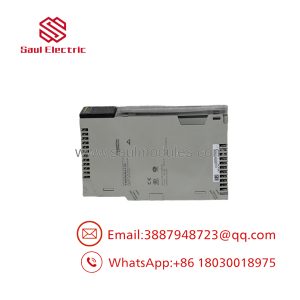
XBTF034610
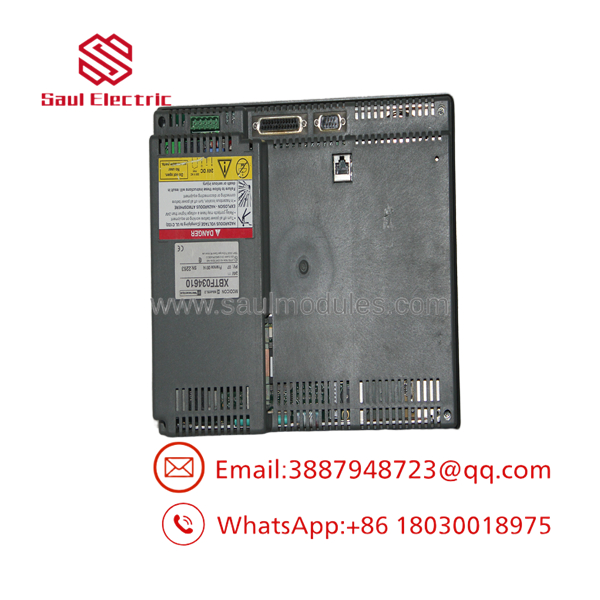
XBTF034610
Transparency SOP: QA & Testing
For New Surplus or refurbished XBTF034610 inventory, the display and touchscreen need to be tested separately from communication functions.
- Part-number verification — Confirm
XBTF034610on the rear or product label. - Physical inspection — Examine the front bezel, touchscreen surface, rear enclosure, connectors, and mounting hardware.
- Power-up test — Apply an appropriate 24 VDC supply and verify normal startup.
- Display test — Check the complete display area for abnormal pixels, dim areas, flicker, or backlight problems.
- Touch test — Exercise multiple locations across the entire resistive touchscreen.
- Communication test — Connect to a compatible test PLC or communication setup.
- Application test — Load an authorized test application where appropriate.
- Alarm test — Verify alarm display and acknowledgment functions.
- Operator-command test — Confirm touch commands are correctly registered.
- Final inspection — Record display condition, touchscreen response, communication test results, and stock classification.
A powered-on screen is not sufficient QA. An HMI with a partially defective resistive touchscreen can appear normal during a quick visual inspection while still causing production problems.
The Veteran’s Tech Trap Guide
⚠️ Trap #1 — Don’t confuse the HMI with the application.
The physical is only the terminal. The operator screens, alarms, recipes, tags, communication settings, and other application data are separate concerns. Preserve the original project and storage media before replacement whenever possible.
PRO TIP: Photograph the existing HMI’s startup/configuration screens before removing it. Legacy communication settings can be difficult to reconstruct from memory.
⚠️ Trap #2 — Check the PCMCIA card.
The XBT F architecture uses PCMCIA storage/communication technology. If the existing installation relies on a specific card, protocol, or application configuration, the replacement terminal may require that same configuration to reproduce the original system behavior.
⚠️ Trap #3 — Don’t assume a modern HMI is a direct drop-in.
Schneider’s documented replacement path for uses the XBTGT5330 plus XBTZGCO3 mechanical adapter. That is an indication that physical and system-level migration considerations exist; it should not be treated as a simple screen-for-screen substitution.
⚠️ Trap #4 — Test the entire touchscreen.
Resistive touch panels can develop dead zones or inaccurate touch registration. Test corners, edges, center areas, frequently used buttons, numeric-entry fields, and alarm controls.
Dynamic FAQ
Q: What is the Schneider ?
A: It is a Magelis XBT F 10.4-inch color touchscreen operator terminal/HMI for industrial automation applications. It uses a 640 × 480 display and 24 VDC supply.
Q: What is the display resolution?
A: The XBT F documentation specifies 640 × 480 pixels (VGA) with a 10.4-inch color display.
Q: What type of touchscreen does the use?
A: It uses a resistive matrix touchscreen with a 10 × 13 touch-zone arrangement.
Q: What power supply does the require?
A: It operates from 24 VDC. The documented voltage limits are 18–30 VDC, with a maximum specified ripple of 5%.
Q: Is discontinued?
A: Yes. Schneider lists the model as a legacy/discontinued product. Schneider’s regional product pages show different discontinuation dates, so lifecycle status should be checked against the purchasing region.
Q: What is the Schneider-recommended replacement?
A: Schneider identifies XBTGT5330 together with the XBTZGCO3 mechanical adapter as the replacement combination for /XBTF034.10. A migration should still include application, communication, mounting, and project compatibility checks.
Q: How should New Surplus stock be verified?
A: Verify the exact part number, inspect the LCD and touchscreen, power the unit from an appropriate 24 VDC source, test the entire touch surface, and verify communication with a compatible controller or test system. The supplier should clearly state whether the unit is New Surplus, Used, or Refurbished and provide written warranty and return terms.

 Start Chat


