





Description
Core Product Summary
The UNIOP ETT-VGA is an industrial operator interface designed to present machine data, alarms, events, and operator controls through a color graphic display and touch-enabled front panel. Its documented hardware includes eight function keys, three system keys, eight user LEDs, six system LEDs, and serial communication options for PLC connection. The unit also supports password protection, a hardware real-time clock, recipe storage, and alarm and event lists.
For replacement planning, confirm the complete model and installed configuration. The technical note lists ETT-VGA-0045 as an ordering variant; do not assume every unit labeled ETT-VGA has identical memory or hardware configuration.
Technical Specifications
| Parameter | Documented specification |
|---|---|
| Manufacturer / brand | UniOP / EXOR International |
| Model | ETT-VGA |
| Product type | HMI touch operator panel |
| Display | Color TFT LCD |
| Display colors | 256 |
| Graphics resolution | 640 × 480 pixels |
| Text capacity | 30 rows × 80 columns |
| Touchscreen | Resistive |
| Backlight | CCFL |
| Function keys | 8 |
| System keys | 3 |
| User LEDs | 8 |
| System LEDs | 6 |
| PLC communication | RS-232, RS-422, RS-485, CL 20 mA |
| PC / printer port | Supported |
| Auxiliary fieldbus connection | Supported with optional modules |
| External keyboard port | Supported |
| Power supply | 18–30 VDC |
| Maximum consumption at 24 VDC | Approximately 700 mA |
| Recipe memory | 16 KB |
| Alarm capacity | 1,024 |
| Event list capacity | 256 |
| User memory | 8 MB SSFDC card configuration documented; variant-dependent |
| Operating temperature | 0 to +50 °C |
| Storage temperature | −20 to +70 °C |
| Relative humidity | 5–95%, non-condensing |
| Front-panel protection | IP65 |
| Weight | Approximately 2.7 kg |
Specifications are drawn from the UniOP ETT-VGA technical note. Confirm the exact hardware revision and ordering suffix before using these values for procurement or replacement.
Engineering Selection Highlights
- Legacy system replacement: Identify the existing panel’s full model code and hardware revision before ordering a replacement.
- Serial PLC connectivity: The documented serial interfaces include RS-232, RS-422, and RS-485, with CL 20 mA also listed. Verify the original PLC port, cable pinout, and communication protocol.
- Operator interaction: The touchscreen is supplemented by dedicated function and system keys, which can be important when reproducing an existing machine interface.
- Alarm and event handling: The documented capacity is 1,024 alarms and 256 events. Confirm the original project configuration if these functions are required.
- Panel installation: The technical note lists IP65 protection for the front panel. This does not establish an equivalent rating for the rear enclosure or the complete installed assembly.
- Project compatibility: A matching display specification alone does not guarantee that a replacement will load or run the original HMI project. Confirm programming software, project version, communication drivers, and memory configuration.
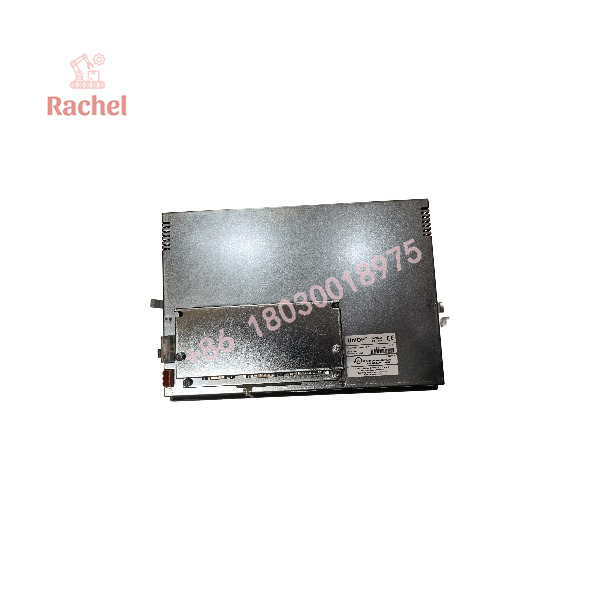
ETT-VGA
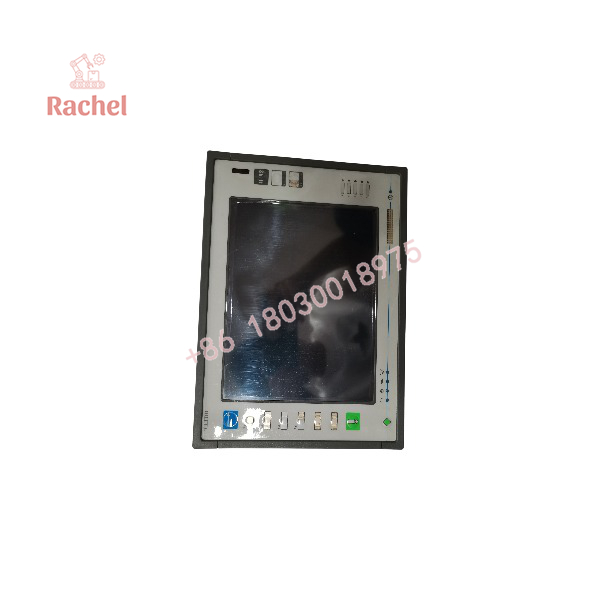
ETT-VGA
Product Overview
Operator interface for established automation systems
The UNIOP ETT-VGA provides a graphical interface between an operator and a compatible control system. Its color TFT display presents screen-based operating information, while the resistive touchscreen and physical keys support operator input. The 640 × 480 pixel resolution and 30-row, 80-column text layout are relevant when maintaining an existing HMI project or checking whether a replacement can reproduce the original screen arrangement.
Communication and system integration
The panel’s documented PLC interfaces include RS-232, RS-422, RS-485, and CL 20 mA. An auxiliary port can support fieldbus connectivity through optional modules. These interfaces do not mean the terminal supports every PLC or protocol by default: the actual connection depends on the communication driver, optional hardware, cabling, and project configuration.
Replacement and maintenance considerations
The ETT-VGA is a legacy product, so replacement planning should account for both hardware condition and software continuity. Before removing a working unit, where practical, back up the HMI project and record the PLC model, serial settings, connector wiring, optional communication modules, and installed memory configuration. If the original project or programming environment is unavailable, verify recovery options before committing to a replacement.
Applications
The ETT-VGA is suited to legacy machine and process-control installations that use a UniOP operator terminal for:
- Machine status and operating parameter displays
- Operator commands through touchscreen controls and physical keys
- Alarm presentation and event review
- Recipe selection and parameter entry
- Serial communication with compatible PLCs
- Multilingual operator-interface projects
These are application functions supported by the panel’s documented capabilities; specific machine compatibility depends on the installed project and PLC configuration.
Frequently Asked Questions
1. What is the UNIOP ETT-VGA?
It is a UniOP industrial HMI operator panel with a color TFT display, resistive touchscreen, physical keys, status LEDs, and serial PLC communication interfaces.
2. What is the screen resolution?
The ETT-VGA technical note specifies 640 × 480 pixels.
3. What power supply does it require?
The documented input range is 18–30 VDC, with maximum consumption of approximately 700 mA at 24 VDC.
4. Which PLC communication interfaces are listed?
RS-232, RS-422, RS-485, and CL 20 mA are listed. Confirm the specific PLC protocol and port configuration before connecting the terminal.
5. Is ETT-VGA-0045 the same as ETT-VGA?
ETT-VGA-0045 appears in the technical note as an ordering variant. Check the complete label and hardware configuration rather than assuming that all ETT-VGA units are identical.
6. Can it replace another industrial HMI directly?
Not without compatibility checks. Screen dimensions, cutout, supply voltage, serial wiring, communication drivers, and HMI project compatibility should all be verified.
7. What should be checked before purchasing a replacement?
Record the complete model and suffix, photograph the product label and connectors, check the mounting cutout, confirm the required PLC interface, and establish whether the original project can be transferred.

 Start Chat


